Set it up step by step
Start by adding CallerPlugins for your CRM to Chrome (Pipedrive, HubSpot, Teamleader Focus, Odoo) and confirming your work email. Then pick the setup that matches the 3CX app your team uses.
With the 3CX app for Windows (V20)
This is the setup most 3CX teams on Windows need. The call goes out from your 3CX extension and business number.
- Install the 3CX app for Windows and connect it to your extension. In the 3CX Web Client, open Apps and press the provisioning button (menu names as of V20), or sign in to the app with your 3CX account.
- In Windows 11, open Settings → Apps → Default apps, search for TEL and pick the 3CX app. If Teams, Phone Link or another app already handles TEL, check here that 3CX is the one selected.
- In the CallerPlugins settings, switch on Softphone and keep the link type on tel:, the default. The setting still mentions 3CX next to callto:, but the V20 app doesn’t open callto: links. Rename the button to “3CX” if you like.
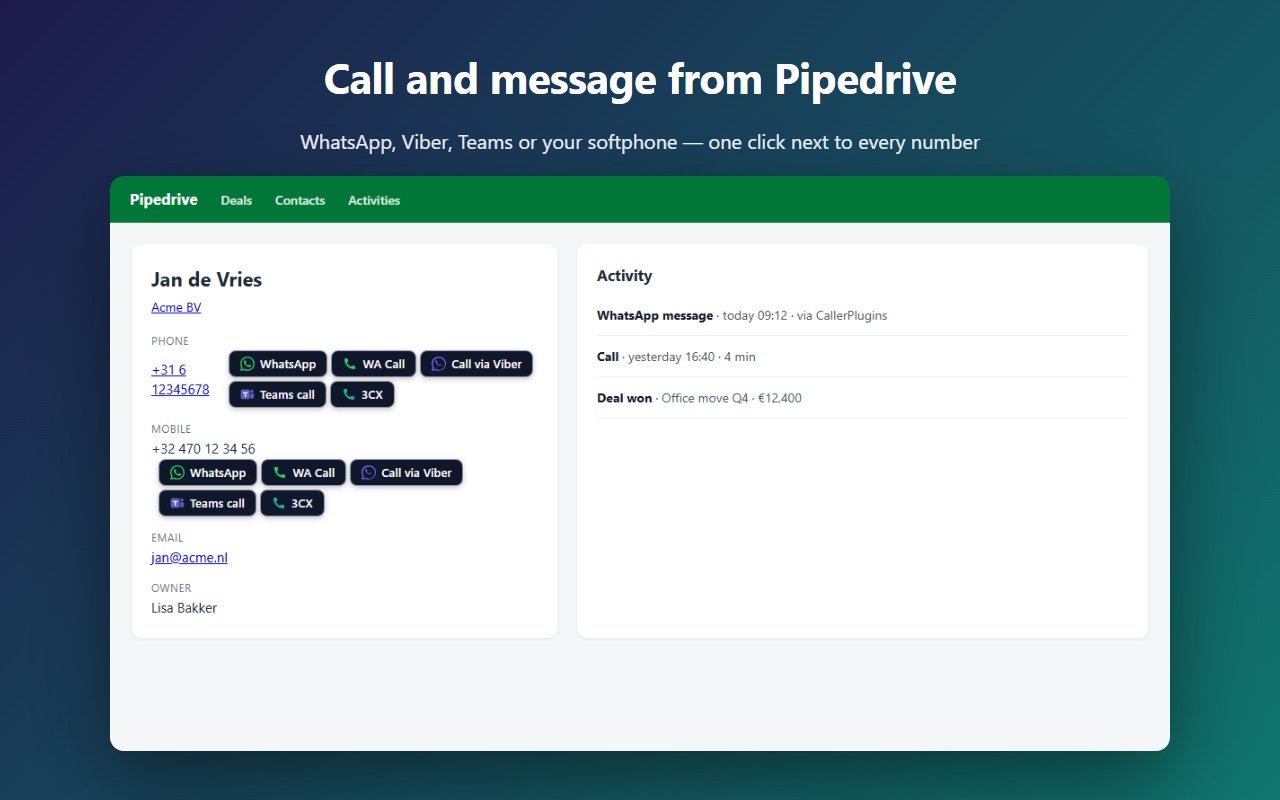
- Open a contact in your CRM and click the 3CX button next to the number. Chrome asks once whether the site may open the 3CX app; tick “Always allow”. 3CX opens with the number ready to dial; whether it dials straight away depends on your app settings.
On a Mac or with only the 3CX Web Client
The softphone button needs an app on your computer that opens tel: links. The 3CX Web Client runs in a browser tab, so it doesn’t open those links by itself.
- Install 3CX Click2Call from the Chrome Web Store. 3CX lists it as an add-on for 3CX V20 systems.
- In its options, choose the 3CX Web Client as the place where calls start.
- Numbers on web pages, your CRM included, become links that dial through the Web Client. If you also use CallerPlugins for WhatsApp or Teams, add your CRM to the Click2Call exclusion list if you don’t want the extra links.
With an older 3CX app (V18 or earlier)
Some companies still run the older 3CX client for Windows, which often registered callto: links.
- Try tel: first. If clicking the button does nothing, open Settings → Apps → Default apps and search for CALLTO.
- If 3CX is listed for CALLTO, switch the CallerPlugins link type to callto: and click again.
- Plan the move to the V20 app: when you switch, set the link type back to tel:.
More about the link types (tel:, callto:, sip:) is on the softphone page; the Teams settings are on the Microsoft Teams page.
What ends up in your CRM
- On the free plan, your CRM doesn’t see the click. The 3CX app keeps its own call history, and you can log the call by hand in the CRM.
- Pro: connect your CRM once in the dashboard, and every click is saved on the contact as a done call, with the tool and the time. It records who clicked and when, not the call’s length or a recording.
- Need recordings or the call outcome in the CRM? Then a 3CX CRM integration set up by your 3CX partner, or a calling app from your CRM’s marketplace, fits better.
How we wrote this guide
The CallerPlugins steps and the exact link each setting sends come from the extension’s code. The 3CX facts come from 3CX staff answers in the 3CX community forum and from the 3CX Click2Call store listing, checked on the date below. We have not tested this against a 3CX system of our own, and 3CX menu names can change between updates.
Get CallerPlugins for your CRM — free:
Free: 10 uses per tool per month, or 100 for your team with a confirmed company email · Pro from €4.99 per user per tool · See pricing