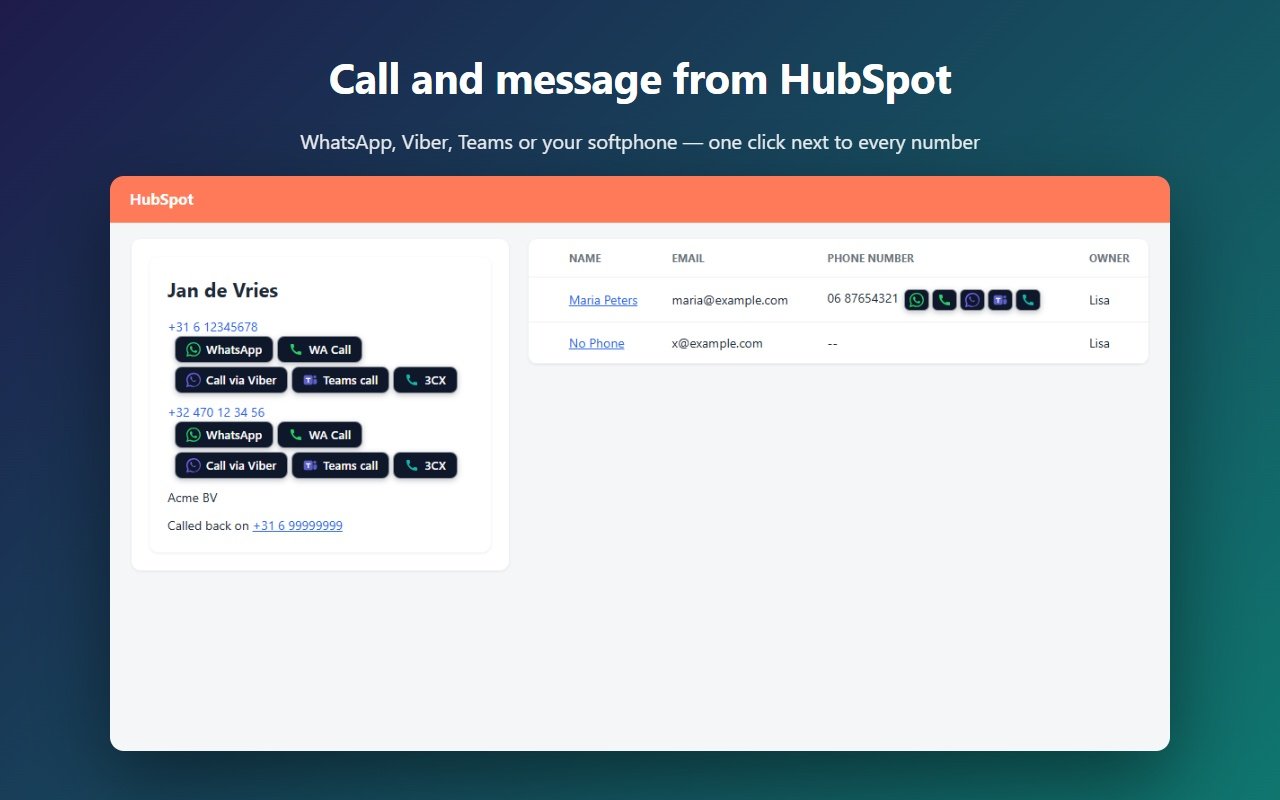
CallerPlugins for HubSpot is a Chrome extension that adds call and message buttons next to phone numbers on contact records and in the phone column of your contact lists. It works on the free CRM and every paid tier, and opens WhatsApp, Microsoft Teams, Zoom Phone, Google Voice or your softphone with the number ready.
Add to Chrome — freeFree: 10 uses per tool per month, or 100 for your team with a confirmed company email · Pro from €4.99 per user per tool
Switch on the apps your team uses and put them in your order. Each one has its own page: WhatsApp, Microsoft Teams, Softphone, Zoom Phone, Viber, Google Voice, plus Telegram and Signal.
HubSpot has built-in calling and a WhatsApp channel. Both are strong if you are on the right subscription. CallerPlugins covers the common case of “I just want to WhatsApp or call this contact now”, also on the free CRM.
| HubSpot itself | CallerPlugins | |
|---|---|---|
| Marketing Hub or Service Hub Professional/Enterprise, with a WhatsApp Business Account via Meta | Any HubSpot plan, with the WhatsApp you already use | |
| Personal WhatsApp number | Can’t be connected | Supported, as is the WhatsApp Business app |
| Template messages | Up to 1,000 a month, shared by all connected WhatsApp accounts | Your own prefilled texts that you send yourself; no Meta approval or HubSpot cap |
| Calling | Sales or Service Hub Starter and up, with a minute allowance that depends on the subscription | Your own Teams, Zoom Phone, Google Voice or softphone minutes |
| Seats | A Sales or Service seat per caller (on Starter, a Core Seat also works) | No paid HubSpot seat needed for the buttons |
Sources, checked 25 October 2026: HubSpot: Connect WhatsApp · HubSpot: Use the calling tool
With Pro, each click becomes a completed call on the contact’s timeline in HubSpot, titled with the tool and the contact, for example “WhatsApp message to Jan de Vries (CallerPlugins)”. Clicks from a contact list are matched to the right contact by phone number.
Yes: app.hubspot.com, app-eu1, app-na2 and app-ap1 are all supported.
No. Our buttons sit next to HubSpot’s own call link; you can keep using both.
No. CallerPlugins starts one chat or call per click, so nothing is sent in bulk.
Yes. HubSpot’s own WhatsApp channel needs Marketing Hub or Service Hub Professional or Enterprise and a WhatsApp Business Account through Meta (checked 25 October 2026). CallerPlugins skips all of that: the button opens a chat in the WhatsApp you already use on your computer, from your own number.
No. The conversation stays in your own WhatsApp; there is no shared inbox. With Pro, HubSpot gets a completed call on the timeline for each click, not the messages. If your team needs every reply in the HubSpot inbox, HubSpot’s own WhatsApp channel is the better fit.
The buttons are free for 10 uses per tool per month, or 100 shared by your team once you confirm a company email. Above that, or to log each click on the timeline, Pro costs €4.99 per user per tool a month, or less with yearly billing. WhatsApp charges nothing for chats you start from your own app.
On a contact record, [full name] is the record name and [name] its first word. [company] and [email] come from the Company name and Email properties in the left sidebar, and [phone] is the number you clicked. In a contact list, the name and [phone] come from the row you clicked, but [company] and [email] stay blank there: open the record if your template uses them.