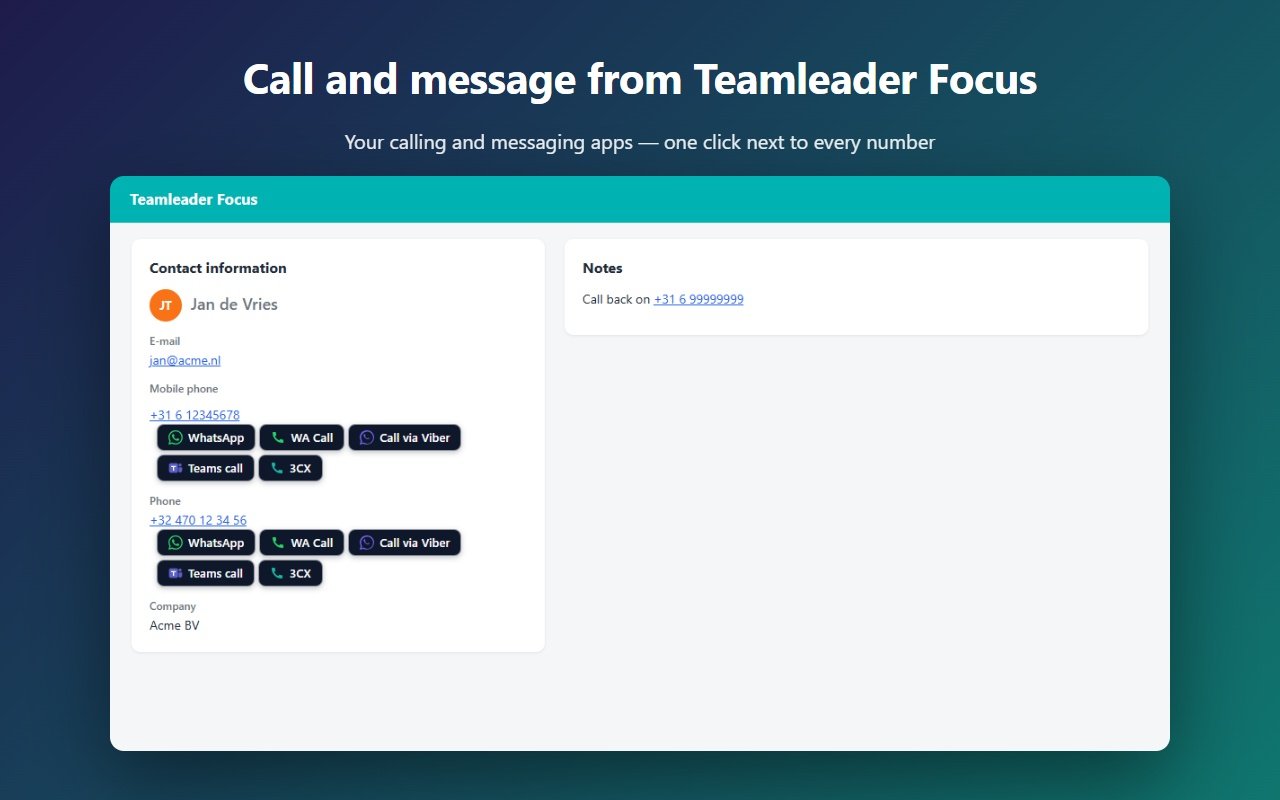
CallerPlugins for Teamleader Focus is a Chrome extension that puts call and message buttons next to the phone numbers on contact and company pages. One click opens WhatsApp, Microsoft Teams, your softphone or another app you pick, with the number ready. Teamleader Focus has no built-in WhatsApp, so this fills that gap without extra accounts.
Add to Chrome — freeFree: 10 uses per tool per month, or 100 for your team with a confirmed company email · Pro from €4.99 per user per tool
Switch on the apps your team uses and put them in your order. Each one has its own page: WhatsApp, Microsoft Teams, Softphone, Zoom Phone, Viber, Google Voice, plus Telegram and Signal.
Teamleader Focus relies on Marketplace integrations for calling and messaging. Calling apps such as Aircall connect through the Marketplace or connectors; WhatsApp comes from third-party tools.
| Teamleader Focus itself | CallerPlugins | |
|---|---|---|
| Not built in; third-party connectors | Built in to the extension, with your own WhatsApp | |
| Calling | Via Marketplace or connector apps (for example Aircall) | Teams, Zoom Phone, Google Voice or any softphone, including the one from your provider |
| Logging | Depends on the integration | Pro saves each click as a completed call on the contact or company |
Sources, checked 15 October 2026: Teamleader: The Teamleader Focus Marketplace
With Pro, each click is saved in Teamleader Focus as a completed call on the contact or company. If your Teamleader account doesn’t allow calls through the API, the click is saved as a note instead, so nothing gets lost.
The buttons follow your Teamleader language, Dutch and French included. Support answers in English and Dutch.
No, only in Teamleader Focus (focus.teamleader.eu).
Yes. Aircall gives you a separate cloud phone system with its own numbers. If your team already calls with Microsoft Teams, Zoom Phone or the softphone from your telecom provider, CallerPlugins puts a button for that app next to every number in Teamleader Focus. The number is filled in; you only press call.
Any app that opens tel:, callto: or sip: links on your computer, such as Microsoft Phone Link, 3CX, Zoiper or MicroSIP.
No. CallerPlugins starts the chat in your own WhatsApp, and the conversation stays there. With Pro, Teamleader gets a record of each click, not the messages. If your team needs a shared inbox with every reply stored in the CRM, a connector built on the WhatsApp Business API is the better fit.
Nothing to start: you get 10 uses per tool per month, or 100 for the whole team once you confirm a company email. Pro is €4.99 per user per tool a month (excl. VAT), or less billed yearly, for unlimited use and a call or note on the contact or company. WhatsApp itself doesn’t charge for chats you open from your own app.
[name] and [full name] come from the person shown in the contact card, and [company] from its Bedrijf or Company field. When that field is blank in Teamleader, the message simply leaves it out, so read the greeting once before you press send.