Set it up step by step
Start by adding CallerPlugins for Teamleader Focus to Chrome and confirming your work email. Then pick the setup that matches the phone your team calls with.
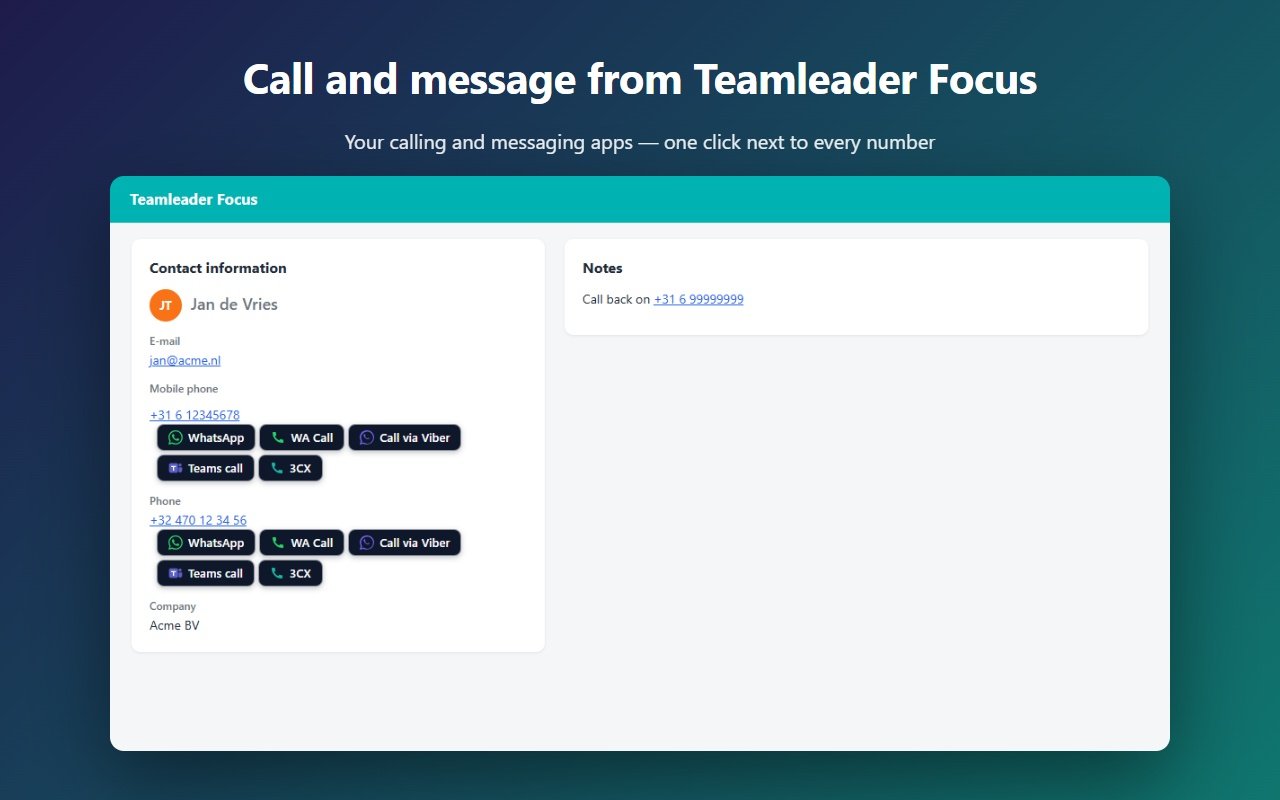
With Teamleader’s own phone links (no extension)
Teamleader Focus shows the numbers on a contact or company as tel: links. A click hands the number to whichever app your computer uses for tel:.
- In Windows 11, open Settings → Apps → Default apps, search for TEL and pick your calling app: Phone Link for your mobile, the 3CX app, Teams or your softphone. On a Mac, tel: links open FaceTime, which can pass the call to your iPhone once Calls from iPhone is on in FaceTime and Calls on Other Devices is on in the iPhone.
- Open a contact or company in focus.teamleader.eu and click the phone number.
- Chrome asks once whether Teamleader may open the app; tick “Always allow”. The app opens with the number.
- If nothing happens, your app doesn’t listen to tel:. Use the button below with callto: or sip: instead.
With the softphone button (tel:, callto: or sip:)
Good when your softphone wants a different link type, or when tel: already goes to another app you want to keep.
- In the CallerPlugins settings, switch on Softphone and pick the link type. Use tel: for Phone Link and the current 3CX app for Windows (V20), which no longer opens callto:. Use callto: for older apps that registered it. Use sip: with your provider’s SIP domain for a SIP softphone.
- Not sure which one your app takes? In Windows Settings → Apps → Default apps, search for TEL, CALLTO and SIP: the app listed next to each one opens that link type.
- In Button text, type the name of your phone, such as “3CX” or “Mobile”, so the team knows where the call goes.
- Open a contact or company in Teamleader Focus and click the button next to the number. The extension sends the number with its country code, such as +32912345678.
With Microsoft Teams or Zoom Phone
Good when your company already calls with Teams Phone or Zoom Phone. Teams also works in a browser tab; Zoom Phone needs the Zoom Workplace desktop app.
- Check that your account can call outside numbers: Teams needs Teams Phone with a calling plan, Operator Connect or Direct Routing; Zoom needs a Zoom Phone licence.
- Switch on the Teams or Zoom Phone button in CallerPlugins. Teams opens on the web by default; switch on “Open the Teams app directly” for the desktop app.
- Click the button next to a number in Teamleader. Teams or Zoom opens with the number filled in, and you press call.
More about the link types (tel:, callto:, sip:) is on the softphone page; the Teams settings are on the Microsoft Teams page.
What ends up in Teamleader Focus
- A click on a tel: link or a CallerPlugins button doesn’t create anything in Teamleader by itself. To log it by hand, press the plus sign at the top right while the contact is open and choose Add call: Teamleader fills in that contact for you.
- Pro: connect Teamleader Focus once in the dashboard, and every click on a button is saved as a completed call on the contact or company, with the tool and the time. If your account doesn’t allow calls through the API, the click is saved as a note instead. It records who clicked and when, not the call’s length or a recording.
- Need incoming calls in your browser, or call data from the phone system itself? Check whether your provider has a VoIP integration in the Teamleader Marketplace.
How we wrote this guide
That Teamleader shows numbers as tel: links, and where the buttons appear, comes from our own Teamleader Focus account, read on 14 October 2026; contact and company lists get no buttons. The link each setting sends and how Pro saves a click come from the extension’s and server’s code. The VoIP integrations and the Add call steps come from Teamleader’s help centre, the 3CX fact from a 3CX staff answer in its forum, checked on the date below. We have not tested every softphone, and menu names in Windows and Teamleader can change.
Add CallerPlugins for Teamleader Focus to Chrome — free
Free: 10 uses per tool per month, or 100 for your team with a confirmed company email · Pro from €4.99 per user per tool · See pricing