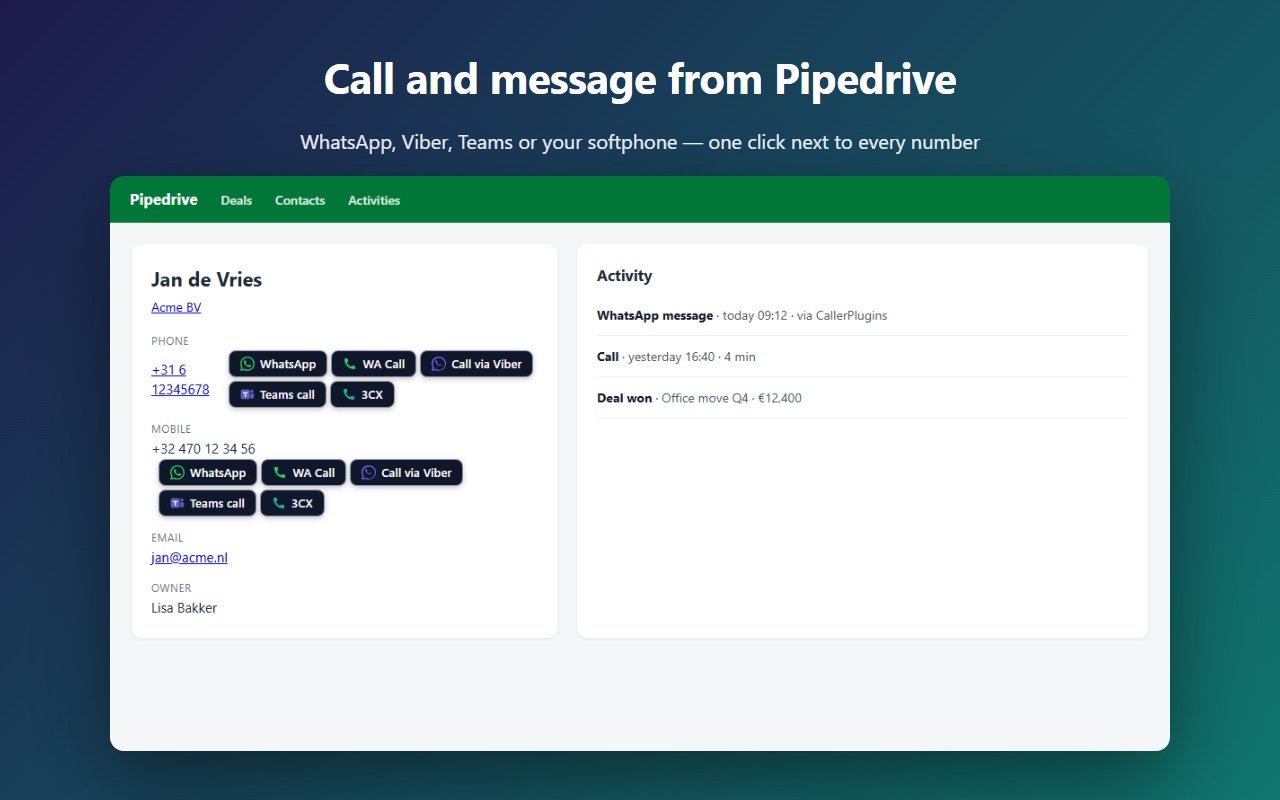
CallerPlugins for Pipedrive is a Chrome extension that adds click to dial to Pipedrive: call and message buttons next to every phone number on people, deals and organizations. One click opens WhatsApp, Microsoft Teams, your softphone or another app you choose, with the number filled in. It works on every Pipedrive plan and needs no WhatsApp Business API.
Add to Chrome — freeFree: 10 uses per tool per month, or 100 for your team with a confirmed company email · Pro from €4.99 per user per tool
Switch on the apps your team uses and put them in your order. Each one has its own page: WhatsApp, Microsoft Teams, Softphone, Zoom Phone, Viber, Google Voice, plus Telegram and Signal.
Pipedrive has its own WhatsApp and calling options. They are a good fit if you want two-way chat inside Pipedrive or a full call-center line. CallerPlugins is for teams that simply want to start a chat or call from Pipedrive with the apps they already have.
| Pipedrive itself | CallerPlugins | |
|---|---|---|
| Plans | WhatsApp needs Growth or higher (beta) | Every plan, including Lite |
| WhatsApp account | WhatsApp Business Platform via Meta; Meta charges per message | The WhatsApp or WhatsApp Business app you already use; no Meta fees |
| Message templates | Meta-approved templates (up to 48 hours) after the 24-hour window | Your own templates with the contact’s name and company, no approval |
| Calling from the browser | No built-in calling. An admin sets the default phone link (tel:, callto:, SIP, FaceTime, SMS or custom) and users can switch per call, or you add a Marketplace app such as Aircall or CloudTalk | A button per app next to each number: Teams, Zoom Phone, Google Voice and any softphone (tel:, callto:, sip:) |
Sources, checked 27 October 2026: Pipedrive: WhatsApp integration · Pipedrive: How can I make calls in Pipedrive? · Pipedrive: Callto syntax, make VoIP calls from Pipedrive
With Pro, every click is saved in Pipedrive as a done call activity on the person or deal, with the tool and the time, for example “WhatsApp message to Jan de Vries (CallerPlugins)”. A manager connects Pipedrive once in the dashboard; it then works for the whole team.
Yes. The extension works on the pages Pipedrive shows you, so the plan doesn’t matter. Only Pro logging needs a one-time connection by an admin.
Not if you need a shared inbox with incoming messages. CallerPlugins starts chats and calls in your own apps; replies stay in WhatsApp on your phone or computer.
People, deals and organizations in Pipedrive on the web. The Pipedrive mobile app is not supported.
No. Pipedrive’s help centre says it has no built-in calling integration (checked 27 October 2026). An admin sets how numbers open under the account menu → Tools and apps → Phone calls: tel:, callto:, SIP, FaceTime, SMS or a custom link. Users can hover a number and pick another method from the arrow. The link still needs a calling app on your computer. CallerPlugins adds a separate button for each app you switch on, so Teams, Zoom Phone and your softphone sit next to the number side by side, and no admin setting is needed.
Yes, as a softphone: set the softphone button to tel: and your calling app takes over the call.
The buttons are free for 10 uses per tool per month, or 100 shared by your team once you confirm a company email. Above that, or to save each click as a Pipedrive activity, Pro costs €4.99 per user per tool a month, or less with yearly billing. WhatsApp charges nothing for chats you start from your own app.
Templates fill in what’s on the Pipedrive page you’re on. [full name] is the name at the top of the page, and [name] is its first word. On a deal page that heading can be the deal title, so read the greeting once before you press send. [company] comes from the linked organization, [deal] from the deal title (on a person page, their first linked deal), [email] from the first email link and [phone] is the number you clicked. Any other labelled field on the page works too: write its label in brackets, spelled as it appears on the page. You write templates in your dashboard; private templates are free, team templates need Pro.