Set it up step by step
Start by adding CallerPlugins for HubSpot to Chrome and confirming your work email. Then pick the setup that matches the phone your team uses.
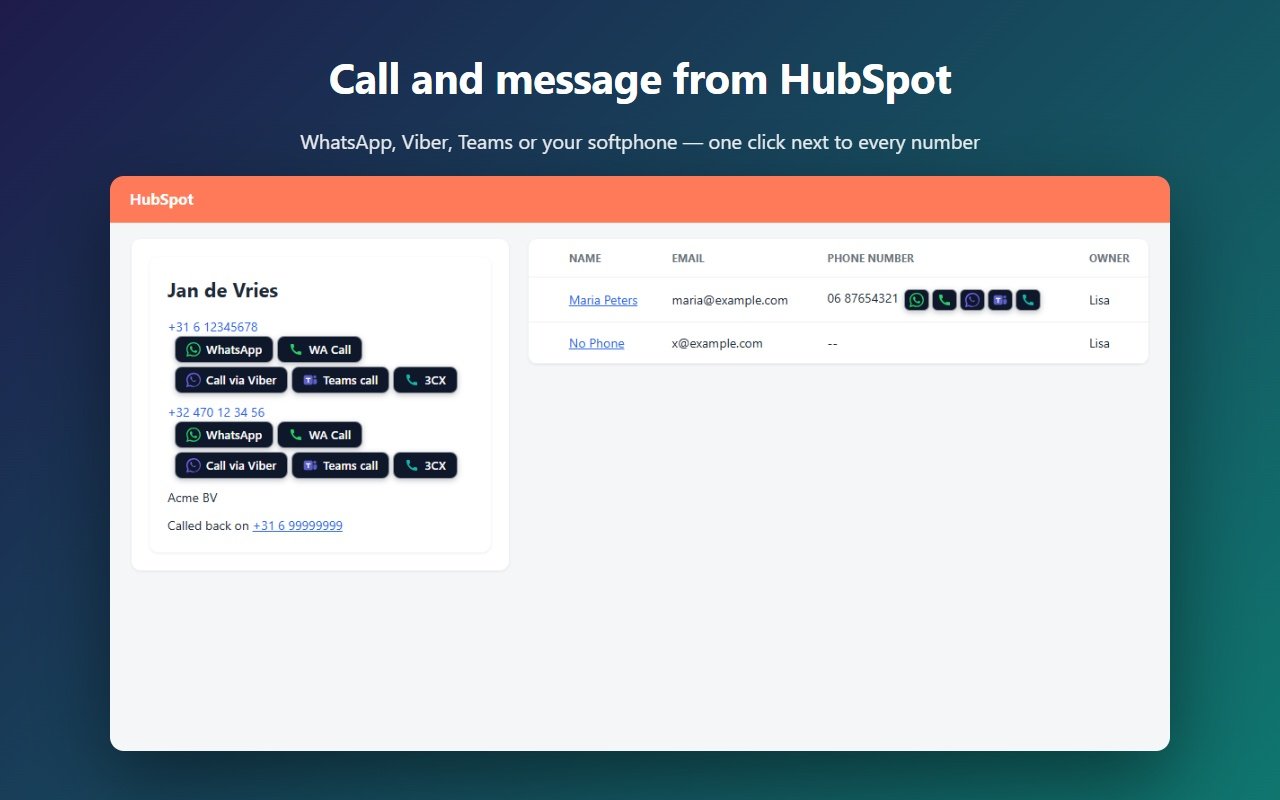
With your mobile phone (Windows, Phone Link)
Good if your salespeople already call from their own mobile. The call runs over your mobile; you talk through the PC’s headset or the phone itself.
- Pair your Android phone or iPhone with Microsoft Phone Link on the PC and allow calls. Calls go over Bluetooth, so the PC needs it.
- In Windows Settings → Apps → Default apps, search for TEL and pick Phone Link.
- In the CallerPlugins settings, switch on the softphone button and keep it on tel:. Rename it to “Mobile” if you like.
- Open a contact in HubSpot and click the button next to the number. Chrome asks once whether it may open Phone Link; tick “Always allow”.
With your mobile phone (Mac, iPhone)
On a Mac, tel: links open FaceTime, which passes the call to your iPhone.
- On the iPhone, open Settings → Phone (Settings → Apps → Phone since iOS 18) → Calls on Other Devices, and switch on your Mac.
- On the Mac, sign in to FaceTime with the same Apple Account and switch on FaceTime → Settings → General → Calls from iPhone. Both devices need the same Wi-Fi network, unless Wi-Fi Calling is on.
- Switch on the softphone button with tel: and click it next to a HubSpot number.
With a SIP softphone (MicroSIP, Zoiper, 3CX)
Good if your company has a VoIP provider. The call goes out from your business number.
- Install the softphone and sign in with the SIP account from your provider.
- Let the softphone handle links: many do this during installation, otherwise look for “handle tel: links” or “default dialer” in its settings.
- In CallerPlugins, choose the link type the app listens to: tel: for most apps, 3CX’s current Windows app included, callto: for older apps, or sip: with your SIP domain.
- Click the button next to a number in HubSpot. The softphone opens with the number dialled.
With Microsoft Teams or Zoom Phone
Good if your company already pays for Teams Phone or Zoom Phone. Teams also works in the browser; Zoom Phone needs the Zoom Workplace desktop app.
- Check that your account can call outside numbers: Teams needs Teams Phone with a calling plan or Direct Routing, Zoom needs a Zoom Phone licence.
- Switch on the Teams or Zoom Phone button in CallerPlugins. Teams opens on the web by default; switch on “Open the Teams app directly” for the desktop app.
- Click the button in HubSpot. The call starts in Teams or in the Zoom Workplace app.
More about the link types (tel:, callto:, sip:) is on the softphone page; the Teams settings are on the Microsoft Teams page.
What ends up in HubSpot
- On the free plan, HubSpot doesn’t see the call. You can log it by hand with Log call on the contact.
- Pro: connect HubSpot once in your dashboard, and every click becomes a completed call on the contact’s timeline, titled with the tool and the contact. It records who clicked which tool and when. It doesn’t record the call itself, its length or a recording.
- Need recordings and call outcomes? Then HubSpot calling or a calling app connected to HubSpot is the better fit.
How we wrote this guide
The CallerPlugins steps and the screenshot show how the extension works in HubSpot. The Windows, Mac, softphone, Teams and Zoom settings follow the instructions of Microsoft, Apple and the app makers; we have not tried every phone and app combination, and menu names can change. The HubSpot plans and minutes come from HubSpot’s own pages, checked on the date below.
Add CallerPlugins for HubSpot to Chrome — free
Free: 10 uses per tool per month, or 100 for your team with a confirmed company email · Pro from €4.99 per user per tool · See pricing