Set it up step by step
Start by adding CallerPlugins for Odoo to Chrome and confirming your work email. Then pick the setup that matches the softphone and plan you have.
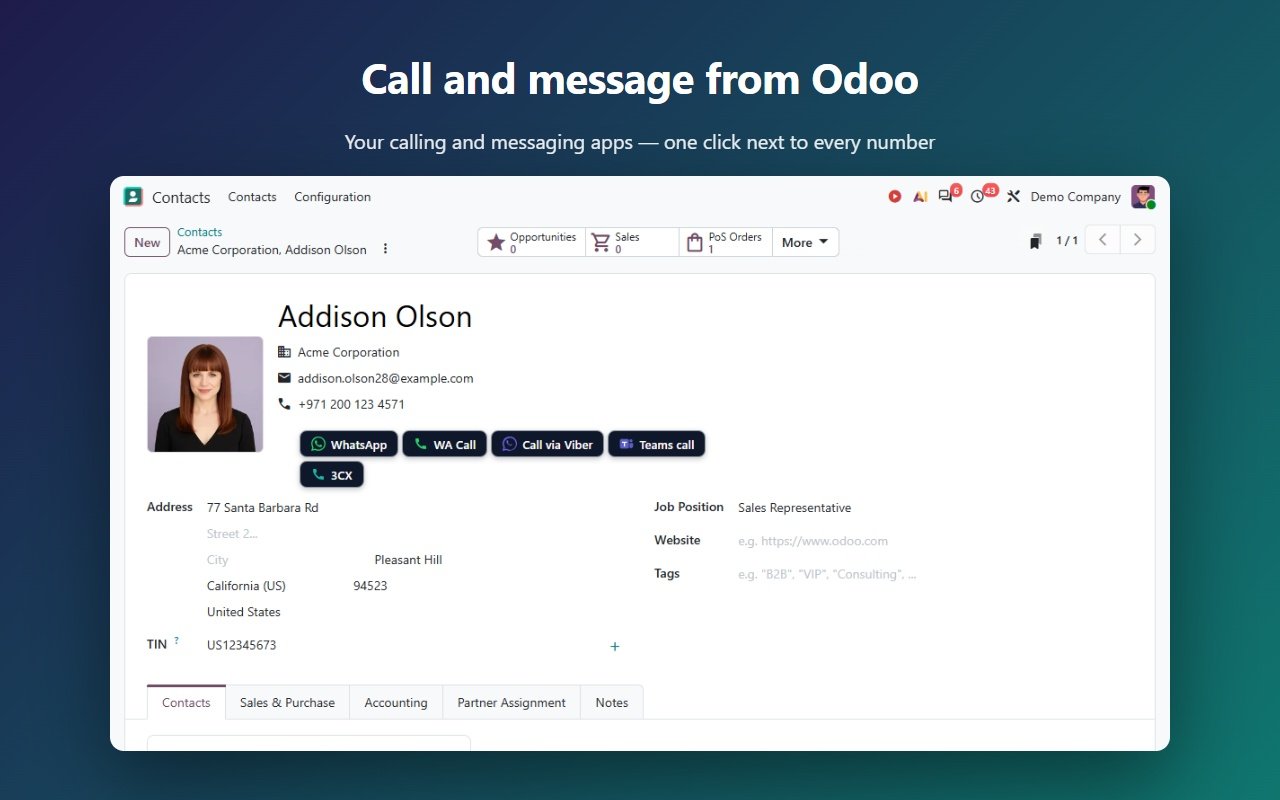
With Odoo’s own Call link (no extension)
In a contact or lead form, Odoo shows a small Call button next to the phone number when you hover over it. It is a tel: link, so your computer decides which app opens it. Odoo forms are always editable, so clicking the number itself only puts the cursor in the field.
- Install your softphone (MicroSIP, Zoiper, the 3CX app or your provider’s app) and sign in with the SIP account from your VoIP provider.
- In Windows 11, open Settings → Apps → Default apps, search for TEL and pick the softphone. Many softphones offer this during installation. We have not tested softphones on a Mac, where tel: links open FaceTime by default.
- Open a contact or a lead in Odoo, hover over the phone number and click Call.
- Chrome asks once whether Odoo may open the app; tick “Always allow”. The softphone opens with the number.
With the CallerPlugins softphone button (tel:, callto: or sip:)
Good when your softphone wants a link type other than tel:, when tel: already goes to another app, or when you want to call straight from a list of contacts or leads.
- In the CallerPlugins settings, switch on Softphone and pick the link type. Use tel: for most current apps, including the 3CX app for Windows (V20). Use callto: for older apps that registered it. Use sip: with your provider’s SIP domain for a SIP softphone.
- Not sure which one your softphone takes? In Windows Settings → Apps → Default apps, search for TEL, CALLTO and SIP: the app listed next to each one opens that link type.
- Open a contact or lead form and click the button under the phone number, or hover over the phone cell in a list view and click the small icon. The number goes to your softphone with its country code, such as +31612345678.
More about the link types (tel:, callto:, sip:) is on the softphone page; the Teams settings are on the Microsoft Teams page.
What ends up in Odoo
- A click on Odoo’s Call link or a CallerPlugins button doesn’t log anything in Odoo by itself. To log the call by hand, click Activities in the chatter, choose the type Call, and press Mark Done.
- Pro: connect Odoo once in the dashboard with an API key, and every click becomes a completed Call activity in the chatter, with the tool and the time. This uses Odoo’s external API, which Odoo’s pricing page lists only on the Custom plan. It records who clicked and when, not the call’s length or a recording.
- Need call recordings, incoming calls in Odoo or call queues? Then Odoo’s VoIP app with a WebRTC provider, or your phone system’s own reports, is the better fit.
How we wrote this guide
The hidden tel: Call link in Odoo forms, and where the CallerPlugins buttons go in forms and lists, come from the real Odoo 20 demo (demo.odoo.com), read on 14 October 2026. The link each setting sends comes from the extension’s code. The VoIP requirements, the activity steps and the plan contents come from Odoo’s documentation and pricing page, and the 3CX fact from a 3CX staff answer in its forum, checked on the dates in the sources list. Odoo’s 20.0 documentation has no VoIP page we could read, so the VoIP requirements come from the 18.0 page. We have not tested every softphone, and menu names in Windows and Odoo can change.
Add CallerPlugins for Odoo to Chrome — free
Free: 10 uses per tool per month, or 100 for your team with a confirmed company email · Pro from €4.99 per user per tool · See pricing